
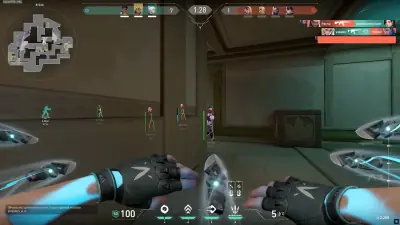
How to Choose the Best Valorant Crosshair Settings
Your crosshair should make aiming easier, not distract you. Learn how to choose a useful size and color, test static settings, and import a crosshair configuration.
Your crosshair is one of the most personal settings in Valorant. A design that works well for one player may feel distracting or difficult to see for another.
The goal is simple: choose a crosshair that remains visible against different backgrounds without covering too much of the target.
What makes a good Valorant crosshair?
A useful crosshair should have three qualities.
First, it should be easy to locate immediately. If you regularly lose sight of it during a fight, its color or thickness may need adjustment.
Second, it should leave enough space around the center to help you see the target. Extremely thick lines or a large center gap can make precise aiming more difficult for some players.
Third, it should remain consistent. Frequently changing your crosshair makes it harder to evaluate whether your aim is improving.
Start with a simple static crosshair
For players who want a straightforward starting point, a small static crosshair is worth testing.
Consider these settings as a baseline rather than a guaranteed best configuration:
- Inner line opacity: 1
- Inner line length: 4
- Inner line thickness: 2
- Inner line offset: 2
- Outer lines: Off
- Movement error: Off
- Firing error: Off
The exact appearance depends on the available settings and the version of the game. Adjust the values until the crosshair is visible without dominating the screen.
Should you use a dot or traditional crosshair?
A dot can provide a very small aiming reference, but some players find it difficult to distinguish from bright background details.
Traditional crosshairs provide more visual reference around the center. They can be easier to locate when moving between different map environments.
Try both in the practice range before making a decision.
Which crosshair color is easiest to see?
No single color works perfectly in every environment. A color that stands out against a dark wall may blend into a bright ability effect.
Test a few options:
- Cyan for contrast against many warm-colored environments.
- Green for a familiar, easily recognizable aiming reference.
- Magenta for an alternative when green or cyan is difficult to distinguish.
- White with a suitable outline when stronger contrast is needed in darker areas.
Your monitor, display settings, and color-vision preferences all affect the result.
How to import a Valorant crosshair code
Crosshair codes let players share configurations without manually entering every setting.
To import one:
- Open Valorant and enter the Settings menu.
- Navigate to the crosshair section.
- Find the option to import a crosshair profile.
- Paste a valid crosshair code.
- Save or select the profile and inspect it in the practice range.
Menu wording may change with game updates. Use the in-game crosshair controls if the interface differs.
A code is a convenient starting point, not a substitute for testing. You may still want to change its color, thickness, or center gap.
Static versus movement-based crosshairs
A static crosshair stays visually consistent while you move and shoot. Many players prefer this because it provides a stable reference.
Movement and firing error indicators can help beginners understand how movement affects accuracy. However, they can also add visual noise.
If you are learning the game's shooting mechanics, test these indicators before disabling them. Once you understand the relationship between movement and accuracy, choose whichever configuration helps you focus.
Remember that a crosshair does not make an inaccurate shot accurate. Movement discipline, recoil control, positioning, and practice still matter.
How to test a new crosshair properly
Avoid changing multiple aiming settings at once.
Instead, spend a few minutes in the practice range and assess:
- Whether you can locate the crosshair immediately.
- Whether the center is visible against different backgrounds.
- Whether the lines obscure small targets.
- Whether you can maintain focus during quick target transitions.
Then play several matches before deciding whether to keep the profile.
Final thoughts
The best Valorant crosshair is a configuration that remains clear and comfortable during real matches. Start with a simple static design, experiment with contrasting colors, and make small adjustments based on what you can actually see.
You do not need to copy a professional player's exact crosshair. Consistency and familiarity are more useful than constantly searching for a supposedly perfect code.